Version: 9.5.0
Build Date: 2026.0703
Released: 14 July 2026
Requirements:
Windows: 10, 11
Mac OS: 11.4 (Big Sur) or later
Linux: Centos 7.9 and compatible distributions
Plug-in Connection Requirements:
3ds Max - 2025, 2026, 2027 - Plug-in build 2026.0327 Release Notes
Blender - 4.5.12 LTS and higher inc 5.2 - Plug-in build 2026.8.21 New Release Notes
Cinema 4D - 2025, 2026, 2027 - Plug-in build 2026.0923 New Release Notes
DELTAGEN - 2019x and higher, Stage 2019x and higher - Plug-in build for 2026x 2026.0212 Release Notes
Houdini - 19.5, 20, 20.5, 21, 22 (with Python 2.7, 3.7, 3.9, 3.11) (inc Apple Silicon support 19.5+) - Plug-in build 2026.0814 New Release Notes
LightWave 3D - 2018, 2019, 2020, 2025, 2026 - Plug-in build 2022.0513
Maya - 2025, 2026, 2027 - Plug-in build 2026.0327 Release Notes
Octane Standalone: 2024.1, 2025.2, 2026.1+ (Windows only) , Plug-in build 2026.0911 New Release Notes
Omniverse - Create 2023.2.2 and higher (now called Omniverse Kit) (Windows only) - Plug-in build 2025.0225 Release Notes
Rhino 6, 7, 8 (Windows only) - Plug-in build 2024.0307 Release Notes
Patchwork 3D 2023 - Windows - No additional plug-in installation required
VRED - 2025.2, 2026 - Additional Plug-in Installation Required Plug-in build 2025.1014 Release Notes
Unreal Engine - 5.5, 5.6.1+, 5.7.1+, 5.8.1+ - Plug-in build 2026.0814 New Release Notes
New Cinema 4D Plug-in: Built for Team Workflows
Updated for complex Takes and Layers projects, with clear status and locking for finished lighting.
Build 2026.0923 (Released 20th October 2026)
Support added for Cinema 4D 2027
This build supports Cinema 4D 2026, 2026 & 2027
Improvements for Team Workflows
Based on customer feedback, we've made several changes to better support larger teams working on complex product visualization projects, especially those using Takes and Layers to manage multiple product variants.
Project Creation - New Naming and Layer Assignment Behaviors
We observed how customers were managing complex scenes storing multiple product configurations using Takes and Layers in Cinema 4D.
This led to the new project creation behaviors that streamline the lighting creation process for those wanting to manage their scenes in this way.
When you click the Create New Project button in the Connection panel, the new lighting project is named and assigned a layer as follows:
•Nothing selected - the new project is created at the root of the Objects panel with the usual default name, e.g. HDRLightStudio.Redshift (or whichever renderer is being used).
•Group selected - the new project is created inside the selected group, named after the group, e.g. GroupName_HDRLS, and assigned the group's layer.
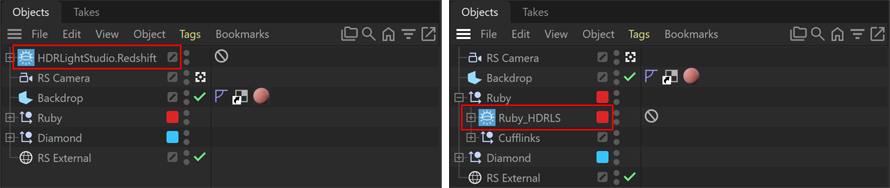
Left: Created with no selection Right: Created with Ruby group selected
This keeps lighting with its geometry, with a meaningful name and a layer assigned that can be used with Takes.
Note: These rules only apply when a lighting project is created. You can then move it in the hierarchy and change its layer.
Lighting Project Visibility Switching
The plug-in no longer changes the visibility of lighting projects when you switch the active project, so visibility is fully under your control.
This means that if you create multiple lighting projects, they will all light the scene until you turn off their visibility in the render.
This allows multiple environment lights to be lighting the scene at once if desired.
Note: Previously, switching projects changed their visibility and overrode the settings of the current take.
Protecting Final Lighting
Projects can no longer be accidentally switched from the final lighting files on disk (On Disk) back to temporary proxy lighting (In Progress).
Each lighting project now shows its status in the Connection panel in Cinema 4D:

Project Status displayed next to Active Project dropdown
•In Progress - using temporary textures during the lighting process, which are deleted when HDR Light Studio closes.
•On Disk - final HDR textures have been rendered to disk.
•Locked Interface - once a Production Render of HDR textures is saved to disk, the HDR Light Studio interface is locked so that no lighting changes can be made until the Make Editable button is pressed.
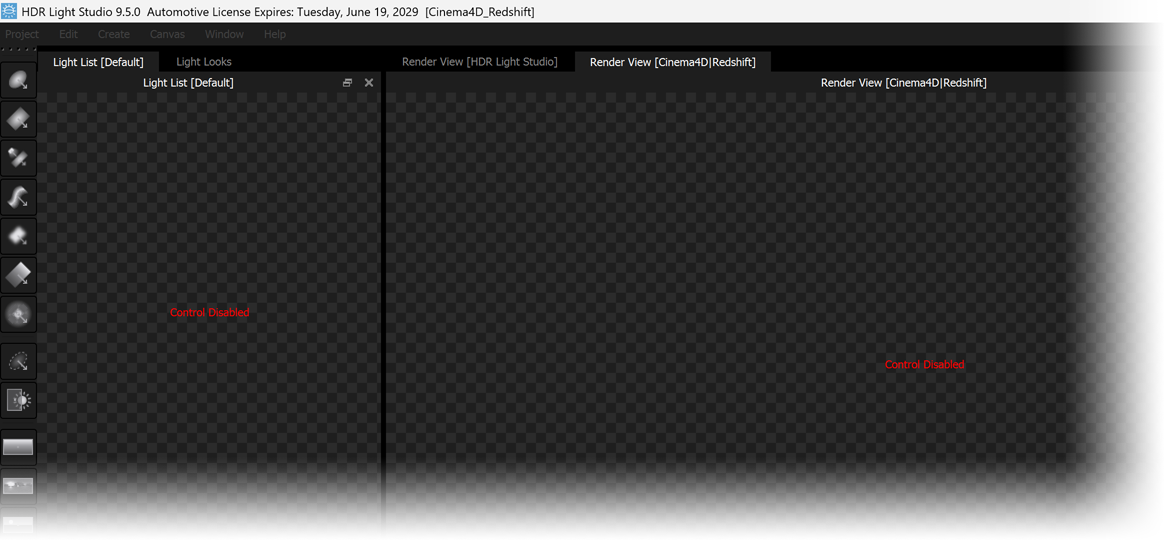
Locked HDR Light Studio user interface
•Make Editable - click this button in the Connection panel to unlock the project and edit the lighting again. The scene switches back to using temporary proxy files and the project status returns to In Progress.
The previous final images stay on disk until a new Production Render overwrites them.
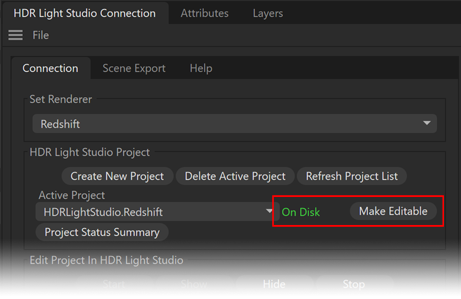
New Make Editable button on Connection Panel
Note: A scene left In Progress (on temporary proxy lighting) will render without the correct lighting, and anyone without HDR Light Studio can't regenerate it. Previously, just opening HDR Light Studio, moving a light or changing any parameter switched the project back to temporary files, and it wasn't always clear this had happened. The new tweaks to the workflow vastly reduce the risk of this happening.
Project Status Summary Panel
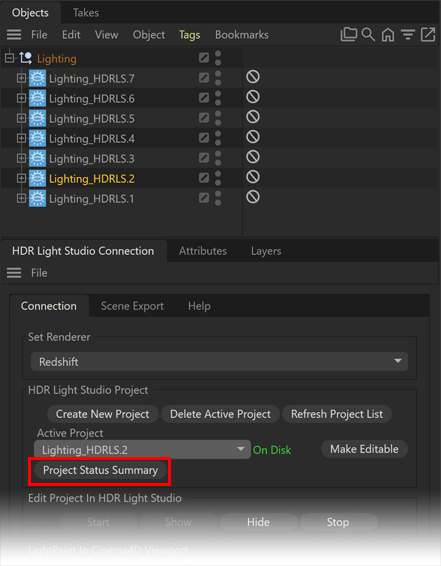
In the scene above you cannot easily see which lighting projects are final and on disk and which are in progress.
Click the Project Status Summary button in the Connection panel to see the status of every lighting project in the scene. For complex scenes this lets you check they are all finalized before sharing or sending off the project for rendering. Complex scenes can contain many lighting projects, and selecting each one in the drop-down to check its status takes a long time. This panel gives an overview of the status of all lighting projects.
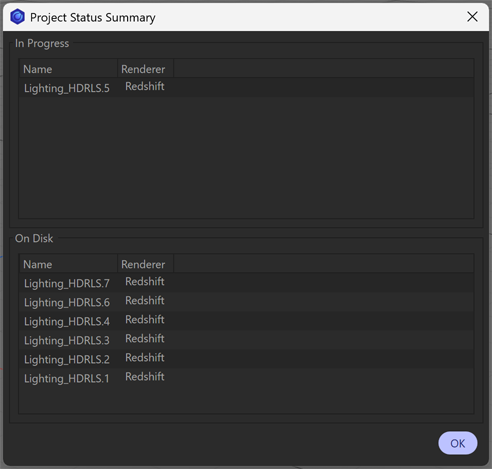
Only one lighting project, Lighting_HDRLS.5, is still 'In Progress'. The rest are final and 'On Disk'.
Attributes Panel Shortcuts
The HDRLightStudio object now has two new buttons in the Attributes panel:
•Open Connection Panel - opens the Connection panel (if it's not already open).
•Edit in HDR Light Studio - opens the Connection panel, makes this object the active project, and starts HDR Light Studio restoring the project ready to edit.
Other Changes in This Release
Faster LightPaint
LightPaint in the streamed Render View [Cinema4D|Renderer] is now much faster with heavy geometry. Only the first click has a delay, while the object is cached.
Scene Export to the Render View
•Hidden objects, including those hidden by Takes, are no longer exported, so the HDR Light Studio internal render view matches your scene.
•Alembic is now the default export format into HDR Light Studio's internal render view, as it's more reliable than Collada. Collada is still available in the Scene Export tab.
Bug Fixes
•Hiding the HDR Light Studio UI can no longer cause embedded project data to be lost.
•HDR Light Studio render views now use the active take's camera. Previously, a bug caused an incorrect view that matched no camera in the scene.
Critical fix for Cinema 4D 2026 on macOS only +
Octane Standalone 2026 support (Released 28th Sept 2026)
Cinema 4D Build - 2026.0921
Critical fix for macOS: resolves an issue where the plug-in failed to load in Cinema 4D 2026.1 and later.
Octane Standalone - 2026.0911
Support added for Octane Standalone 2026 (Tested with 2026.1 & 2026.5)
Houdini 22 support added (Released 22nd Sept 2026)
Build - 2026.0814
Support added for Houdini 22
Unreal 5.8.1+ support added (Released 10th Sept 2026)
Build - 2026.0814
Support added for Unreal 5.8.1+
Updated Blender Add-on (Released 3rd Sept 2026)
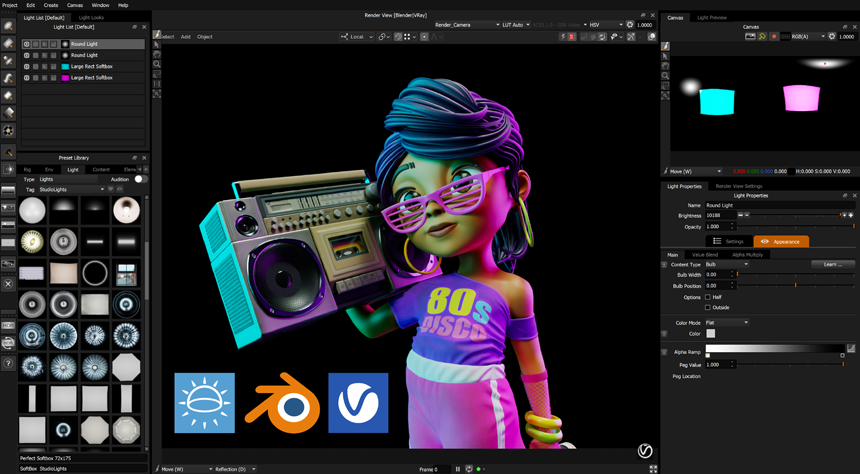
Build - 2026.8.21
Adds support for V-Ray renderer
Support added for Blender 5.2
Read full release notes here.
What's New in HDR Light Studio 9 Drop 5 (14 July 2026)
Area Light Improvements
HDR Light Studio lets you create an HDRI map design alongside a set of 3D Area Lights with HDR textures. The Area Lights are displayed on the Canvas to help you understand their place in the scene as viewed from the centre of the world, but they are not part of the HDRI map design itself.
In previous versions, Area Lights were composited into the Canvas image according to their position in the Light List, which could give misleading results. Any light positioned above an Area Light in the Light List could obscure it altogether, or change its colour and appearance. Importantly, this only happened on the Canvas - the actual lighting of the scene was never affected.
To make working with lights on the HDRI map and Area Lights clearer, we have changed this behaviour. In HDR Light Studio 9 Drop 5, the Canvas now always draws Area Lights on top of the HDRI map design, regardless of their position in the Light List. The draw order amongst the Area Lights themselves is determined by their distance from the origin.
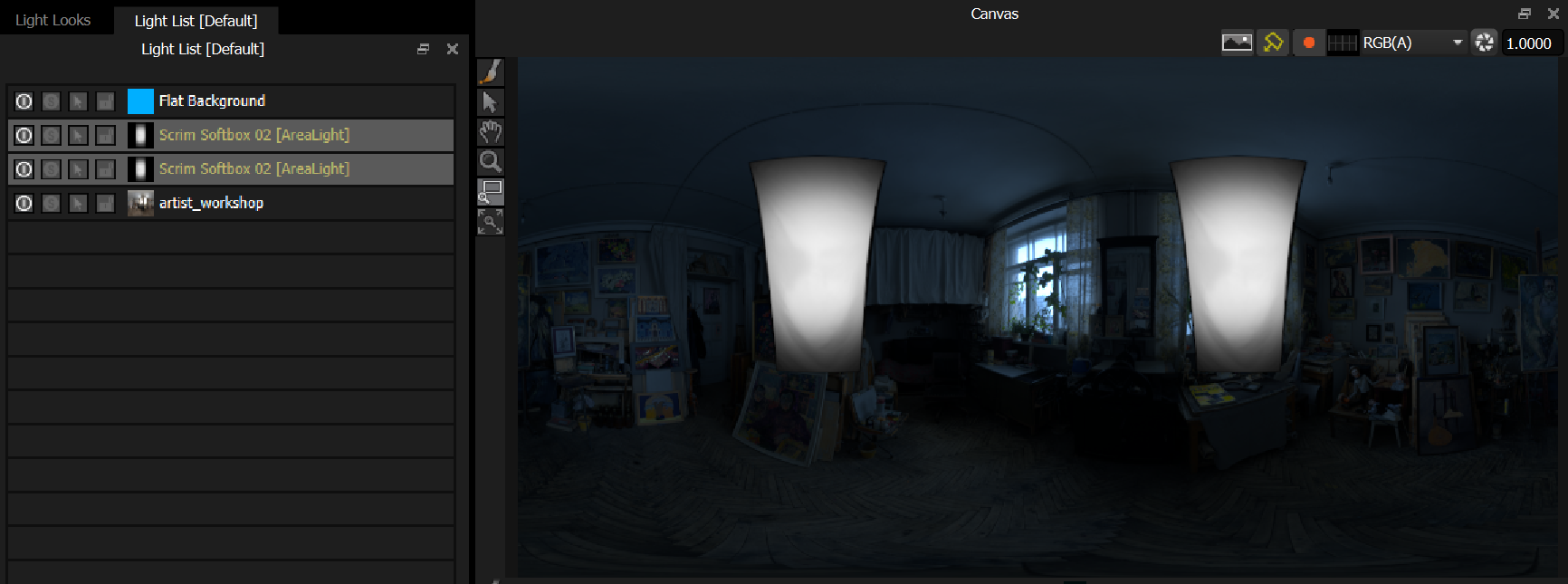
See how the full map blue colorizing light is not affecting the color of the area lights on the Canvas.
New buttons above the Canvas let you show and hide the HDRI design and the Area Lights independently. This means you can work on the HDRI map design without the distraction of Area Lights covering the map, or isolate the Area Lights to work with those. Irrespective of the display status on the Canvas, the HDRI design and Area Lights will continue to light the shot. Additional buttons have been added to show and hide the Light Selection Handle and the Lat-Long Overlay Guide Lines. These are all available from the Canvas menu in the top menu bar.
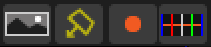
Display toggle buttons - from left to right: HDRI Map Design, Area Lights, Light Selection Handle, Lat-Long Overlay Guide Lines
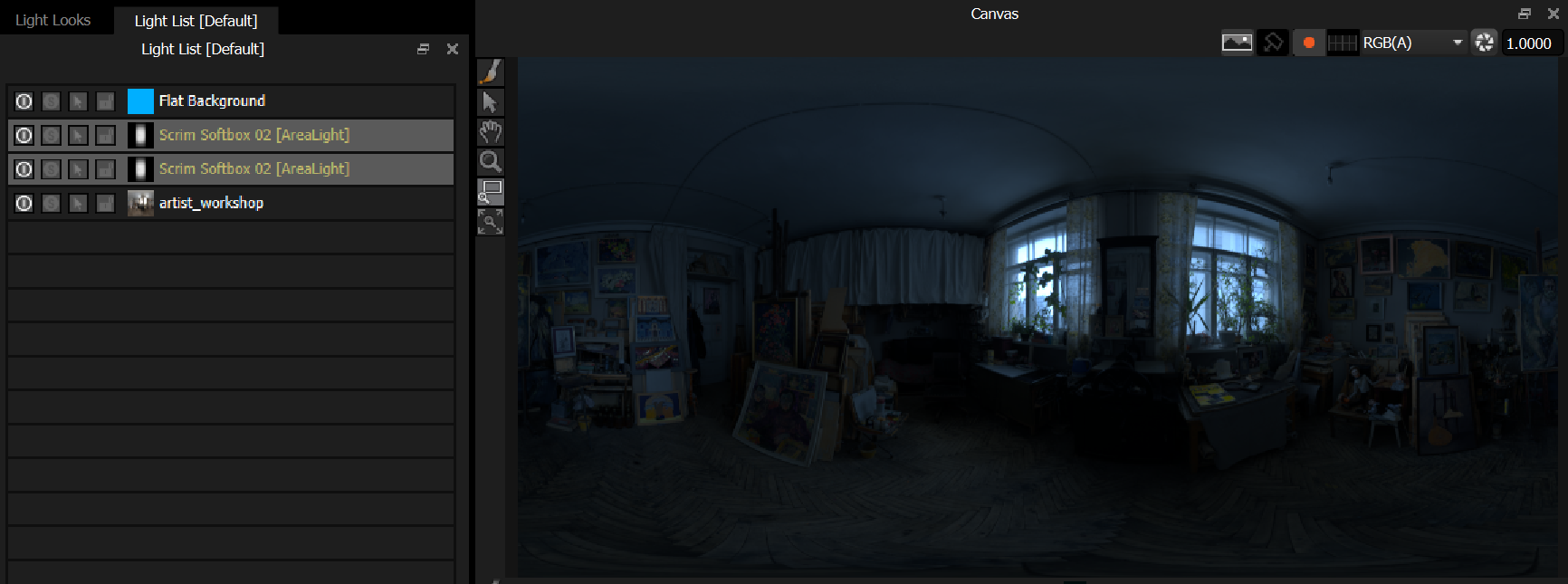
Area Light display turned off
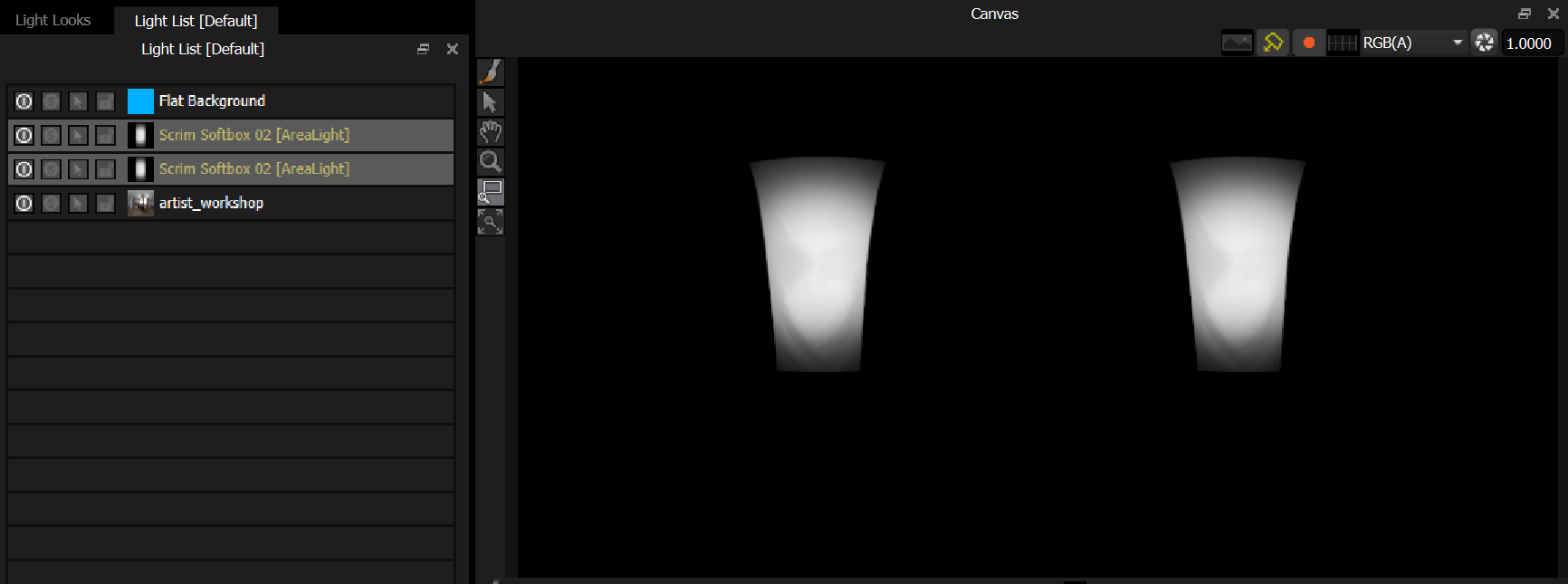
HDRI design display turned off
Improved Zoom Region Tool in Render Views
You can now drag a rectangle of any proportion, and that section of the image will be fitted into the view.
Improved Zoom Tool in the Streaming Render View
The view zooms into the region of the image where the cursor is placed. This also applies when using middle mouse scroll.
Bug Fixes:
•Fixed numeric values being read incorrectly on systems using a comma as the decimal separator, which could dramatically alter any decimal value in a project (light sizes, positions, and more). The 'C' locale is now forced so decimals are always read as periods.
•Reversed the order of the pop-up Light Selection list in the Render Views so that it matches the Light List order.
•Holding CTRL while dragging and dropping a preset onto the Canvas now creates the light as an Area Light. This feature had stopped working following other changes in HDR Light Studio, and is now fixed.